TLS Handshake Inspection
Kubeshark’s TLS handshake dissector (tlsx) captures and displays TLS ClientHello and ServerHello messages from every connection in your cluster. Because the TLS handshake is unencrypted by design, this works without any eBPF TLS hooks or decryption — it simply reads the plaintext handshake bytes from the wire.
This is different from TLS Decryption, which decrypts the application data inside the encrypted tunnel. Handshake inspection shows the negotiation metadata: who is connecting where, which TLS version and cipher suite are being used, and what the client advertises.
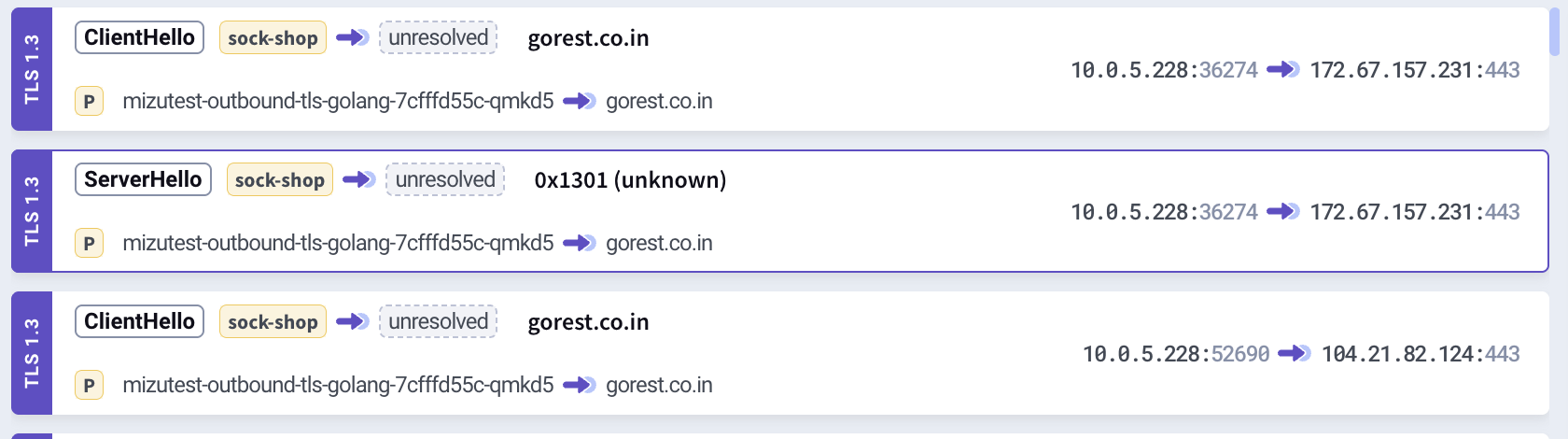
What You Can See
Every TLS connection begins with a handshake. Kubeshark captures both sides:
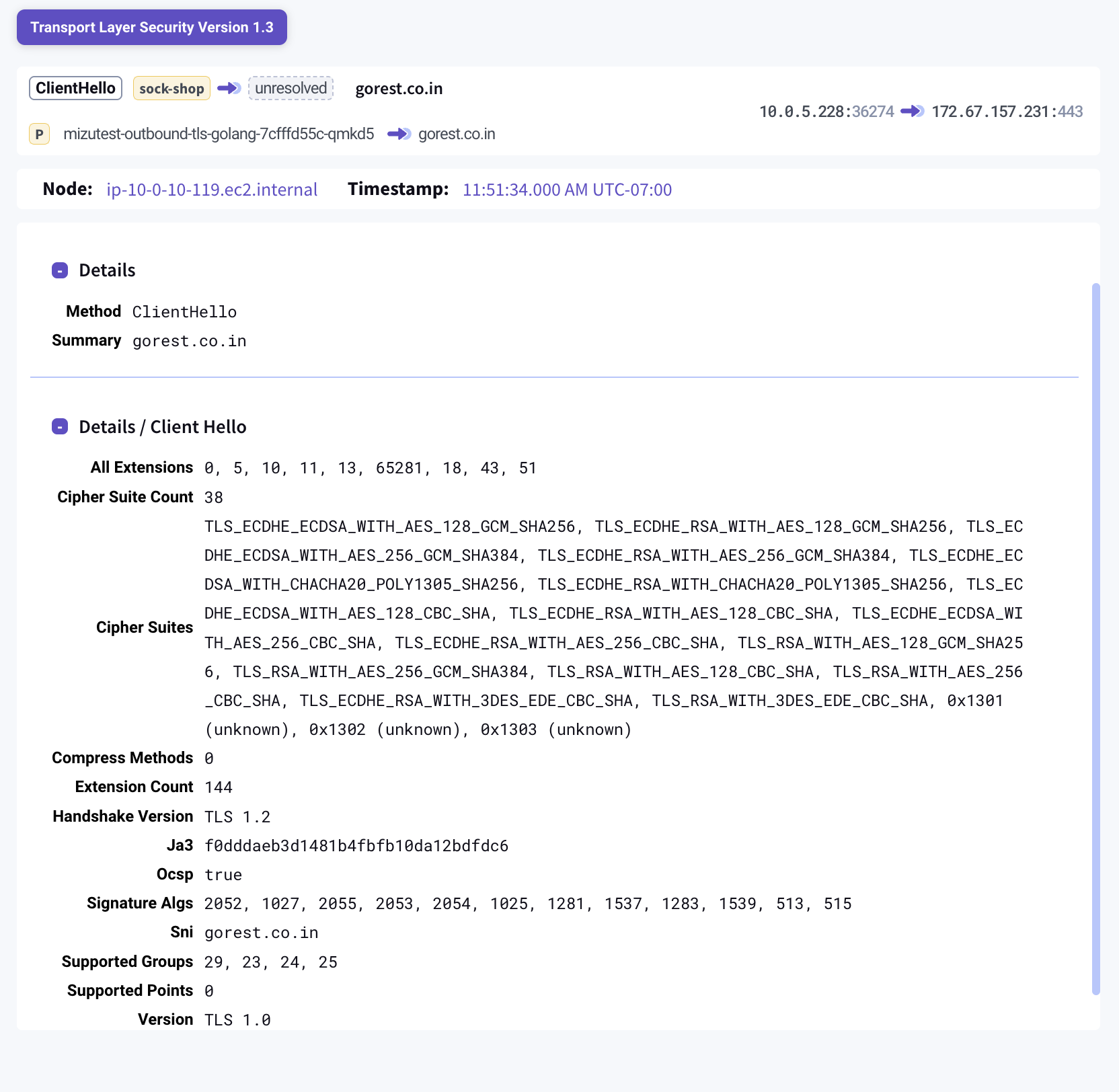
ClientHello — what the client offers:
- SNI (Server Name Indication) — the hostname the client is connecting to
- Cipher suites — the list of encryption algorithms the client supports
- ALPN — application-layer protocol negotiation (e.g.,
h2,http/1.1) - TLS version — the maximum version the client supports
- Extensions — all TLS extensions present
- JA3 fingerprint — a standard hash that uniquely identifies the client’s TLS stack
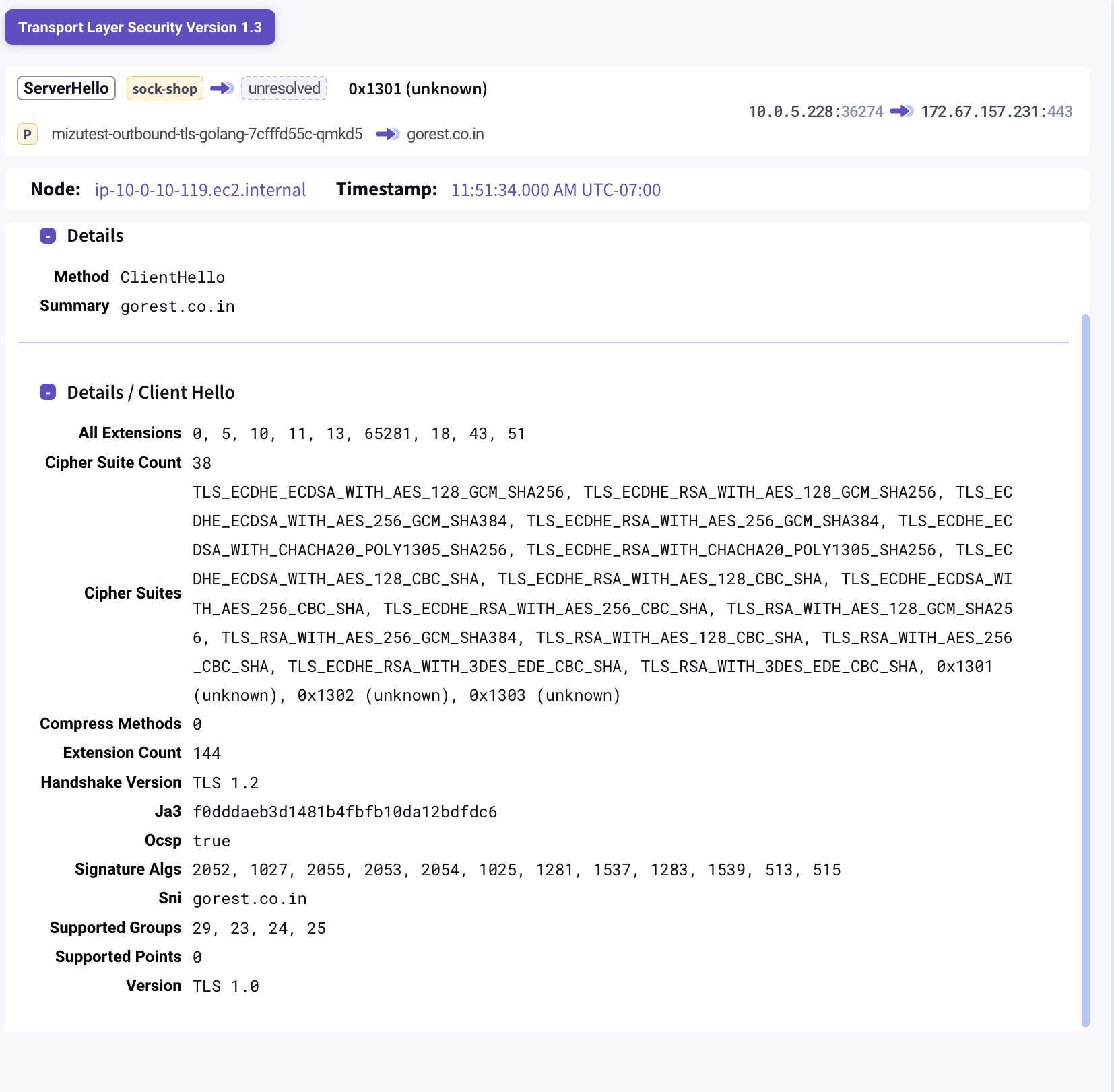
ServerHello — what the server negotiated:
- Cipher suite — the encryption algorithm selected by the server
- Negotiated version — the TLS version both sides agreed on
- ALPN protocol — the selected application protocol
- JA3S fingerprint — a standard hash that uniquely identifies the server’s TLS response
Security Auditing
The dissector includes a built-in security assessment that flags insecure configurations:
- Deprecated TLS versions — SSL 3.0, TLS 1.0, and TLS 1.1 are flagged per RFC 8996
- Weak cipher suites — RC4, DES, NULL, EXPORT, and anonymous ciphers are flagged
When a ServerHello negotiates an insecure configuration, a Security section appears in the entry details with specific warnings.
Egress Monitoring via SNI
The SNI field in ClientHello reveals what external hostnames your pods are connecting to — without decrypting any traffic. This is valuable for:
- Detecting unexpected outbound connections to unknown domains
- Verifying that workloads only connect to approved external services
- Monitoring egress patterns across namespaces
JA3 Fingerprinting
JA3 is an industry-standard method for fingerprinting TLS clients and servers. Kubeshark computes JA3 (from ClientHello) and JA3S (from ServerHello) automatically.
JA3 fingerprints are useful for:
- Threat detection — known malware families have well-documented JA3 hashes
- Client identification — different applications produce different JA3 hashes, even when connecting to the same server
- Anomaly detection — unexpected JA3 hashes in a namespace may indicate a compromised workload
Filtering TLS Handshake Entries
Use tlsx in the KFL filter box to see all TLS handshake entries:
tlsxCombine with other fields for targeted analysis:
tlsx && src.pod.namespace == "production"tlsx && tlsx_sni.contains("amazonaws.com")tlsx && tlsx_cipher_suites.exists(s, s.contains("RC4"))Available KFL Variables
| Variable | Type | Description |
|---|---|---|
tlsx | bool | TLS handshake entry (ClientHello or ServerHello) |
tlsx_sni | string | Server Name Indication hostname |
tlsx_cipher_suite | int | Negotiated cipher suite ID (from ServerHello) |
tlsx_cipher_suites | []string | Offered cipher suite names (from ClientHello) |
tlsx_alpn | string | Negotiated ALPN protocol |
tlsx_version | int | Negotiated TLS version from ServerHello |
tlsx_summary | string | Entry summary (SNI, ALPN, or cipher suite name) |
tlsx_info | string | Entry method (ClientHello or ServerHello) |
tls filter (without the x) is different — it matches traffic captured via eBPF TLS interception (decrypted HTTPS, Redis, etc.). Use tlsx for TLS handshake entries.
How It Works
The TLS handshake happens in plaintext before the encrypted tunnel is established. Kubeshark’s worker captures these packets via AF_PACKET or eBPF and parses the ClientHello and ServerHello messages according to the TLS specification (RFC 5246, RFC 8446).
No special configuration is needed — handshake inspection is enabled by default whenever Kubeshark is running.