L4 to L7 & PCAP Viewer
As part of traffic indexing, Kubeshark stores PCAPs at two levels: per L4 connection (from socket creation to socket end) and per L4 flow (all communication between two peers).
Hierarchy
The relationship between L4 and L7 is hierarchical:
- L4 Flow — all connections between two peers (e.g. pod A ↔ pod B)
- L4 Connection — a single connection within a flow (socket open → socket close)
- L7 API Call — an individual API call within the connection
- L4 Connection — a single connection within a flow (socket open → socket close)
A single connection can include multiple L7 API calls — for example, HTTP/2, WebSocket, or any long-lived connection that carries multiple requests over time.
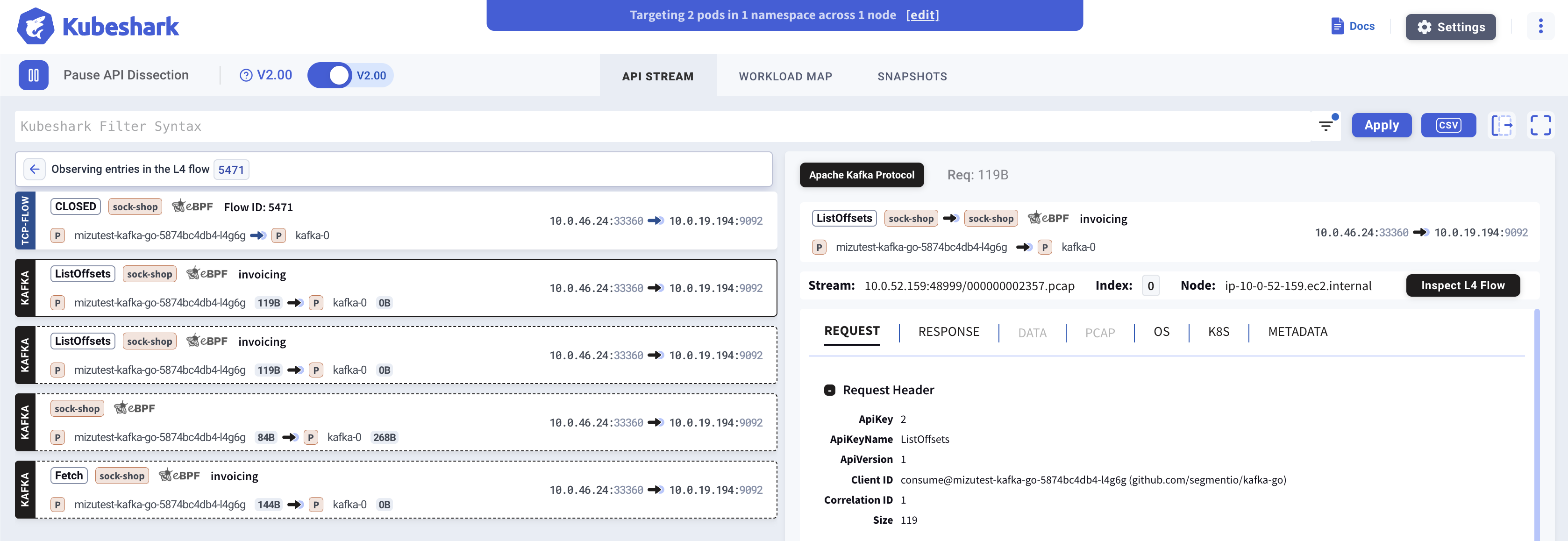
Navigating from L7 to L4
Users query traffic and see a stream of API calls matching the query. To view the underlying L4 data and PCAPs, click the TCP or UDP button on any API call entry.
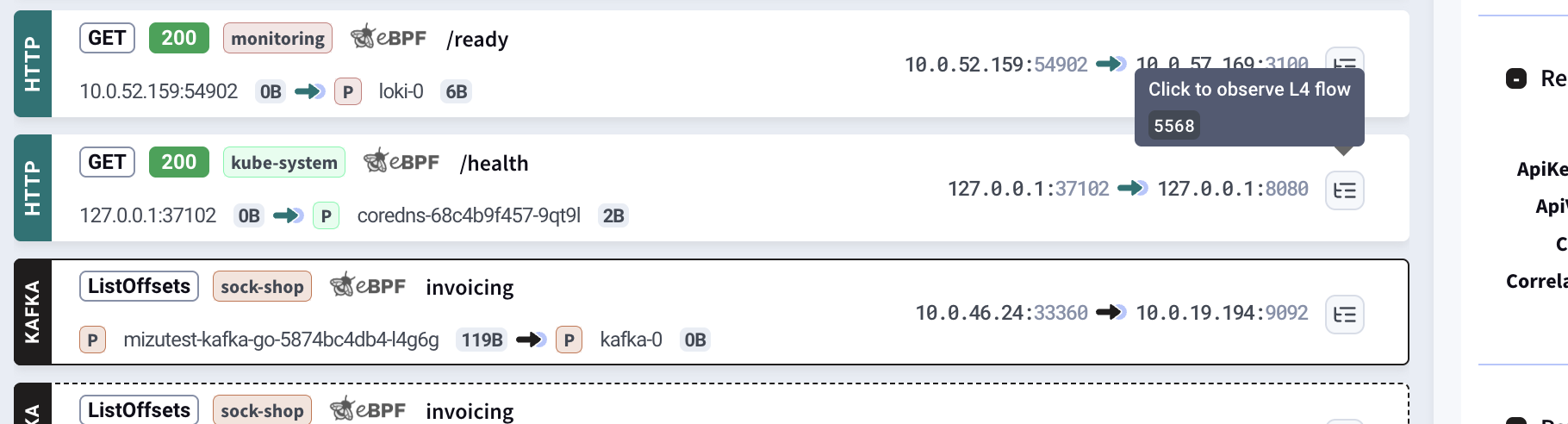
This switches the dashboard to show the full hierarchy on the left: Flow → Connection → API Call.
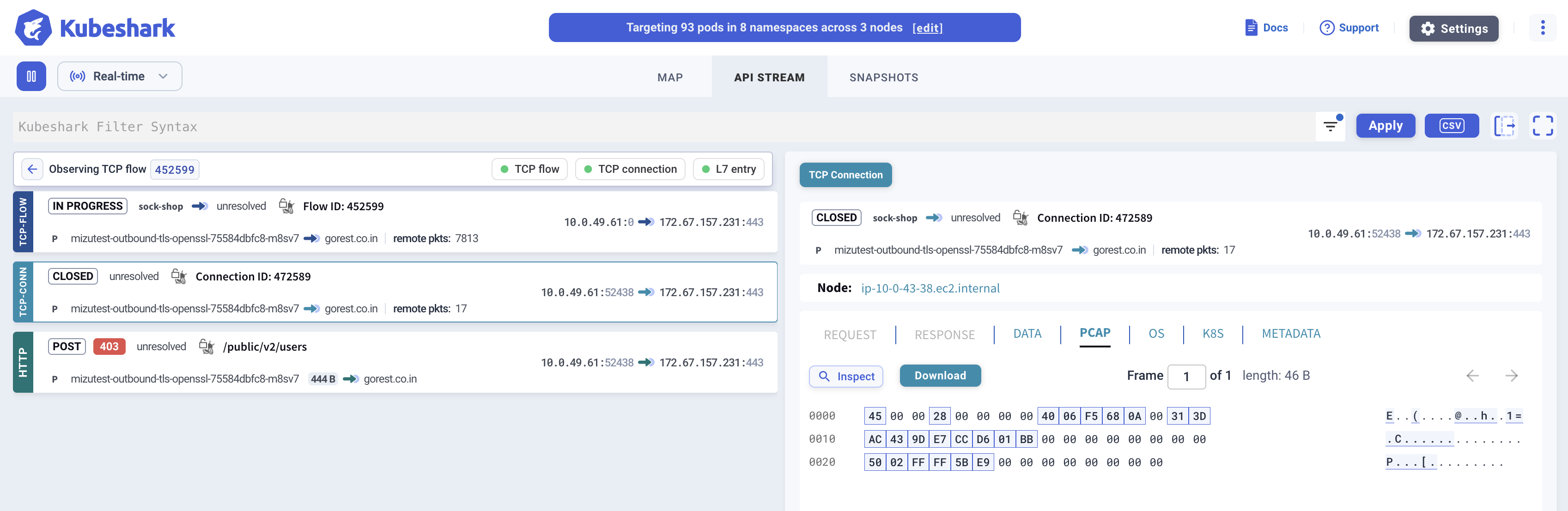
PCAP at Each Level
| Level | PCAP Contents | Size Limit |
|---|---|---|
| Connection | Full PCAP of the connection, including all L7 API calls within it | None |
| Flow | PCAP of the entire flow between two peers | First 12 MB per flow |
PCAP Viewer
Kubeshark includes a built-in PCAP viewer for quick inline inspection — no download required. For deeper analysis, download the PCAP and open it in Wireshark.
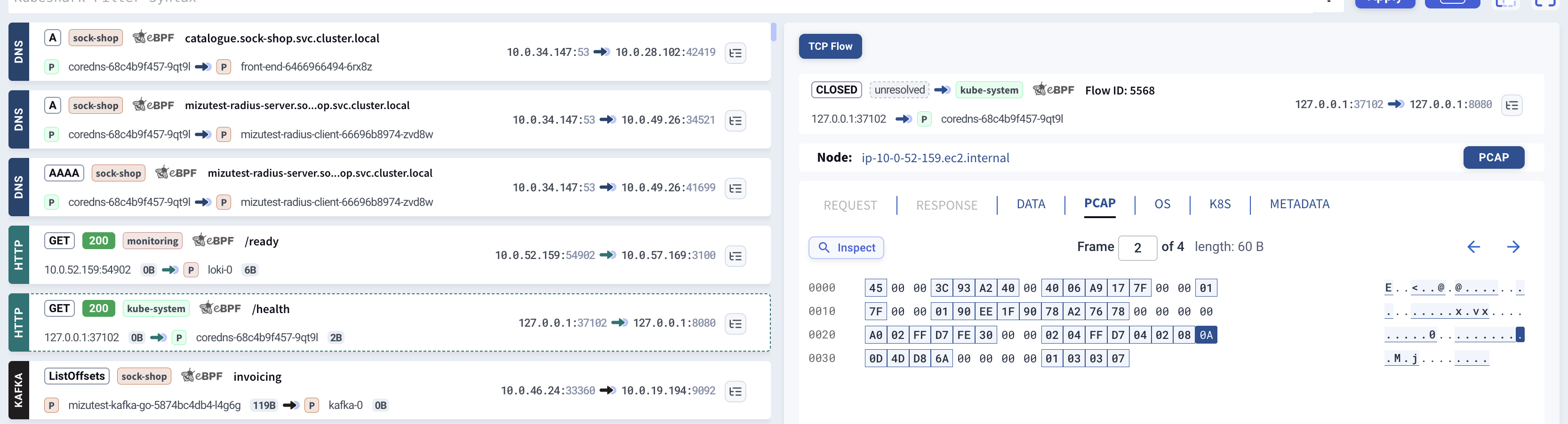
When Dissection Fails
L4 flows are also valuable when L7 dissection fails — due to an unsupported protocol or a parsing error. Indexing still succeeds with full Kubernetes context (pod, service, namespace, node) and network context (IPs, ports) — only the API context is missing. The raw packets remain available in the L4 view for inspection.