Kubeshark-Lens Extension
Kubernetes Lens, sometimes referred to as the Kubernetes IDE, allows users to connect and manage multiple Kubernetes clusters on Mac, Windows, and Linux platforms. It is an intuitive graphical interface that allows users to deploy and manage clusters directly from the console.
Kubeshark’s Lens extension enable Kubernetes Lens users to view real-time traffic of clusters, namespaces, nodes, pods or services, by simply clicking a new menu item added by the extension.
Installing
- Open Lens and navigate to the Extensions page (or press Command + Shift + E on macOS).
- Enter the following URL into the Install Extension box:
@kubeshark/lens - Click the Install button.
Configuration
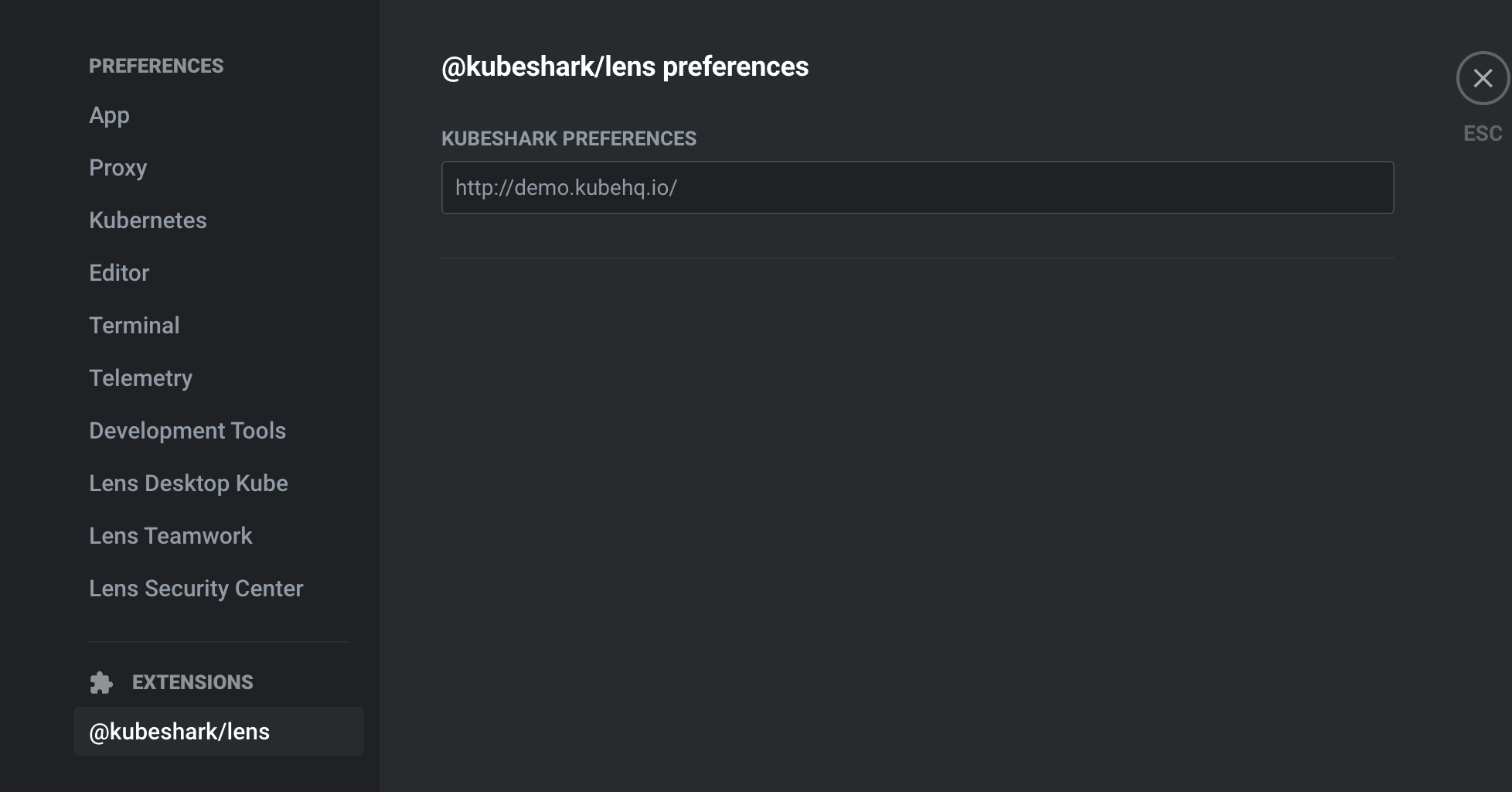
In the preference page, you can enter the Kubeshark URL. The default URL is http://localhost:8899/.
How to View
Once the extension is loaded, a new menu item will appear for each specific Kubernetes component. This menu item indicates that you can view real-time traffic for the corresponding component. By clicking on the menu item, Kubeshark will open and present the traffic associated with the selected Kubernetes component.
For example, if you want to view traffic in a particular namespace, follow these steps:
- Find the namespace in KubernetesLens.
- Locate and click on the menu item that indicates viewing traffic for that namespace.
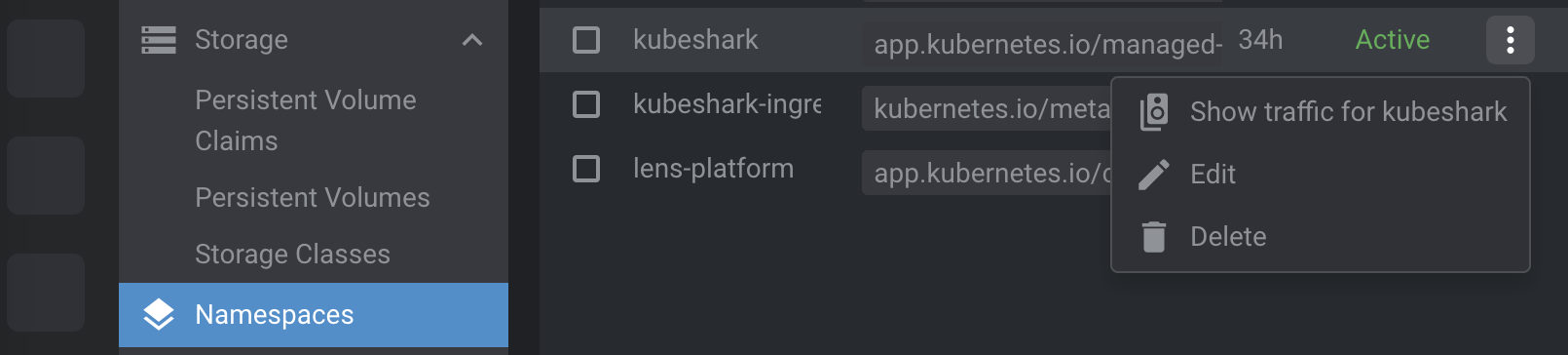
Once you press the menu item, Kubeshark’s dashboard will open automatically configured to filter traffic related only to the selected Kubernetes component.
Limitations
Kubeshark will only display traffic under the following circumstances:
- The component is active and either receiving or generating traffic.
- Kubeshark was able to successfully capture and dissect the traffic (there could be various reasons why this may not happen).